Revenue & Conversion

Every enquiry, tracked from first contact to a confirmed, paid booking. 

LEADS 

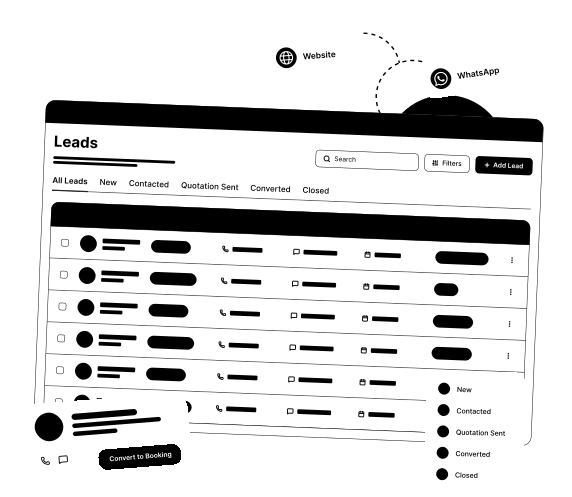
Keep every enquiry moving toward a booking 

An enquiry is only worth something if someone follows up before it goes cold. 

  • Convert leads directly into bookings 
  • Enquiries come in from both your website and WhatsApp 
  • Tracked through New, Contacted, Quotation Sent, Converted, Closed 
  • Search and filter leads instantly 
  • Both channels land in the same queue, so nothing gets missed because it came in a different way 
LEADS 

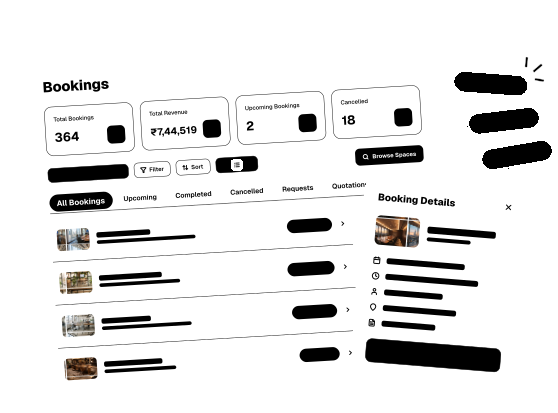
BOOKINGS 

Always know where every booking stands.

A booking might start online, or with someone walking through your door. Either way, your team needs to see it. 

  • Walk in, get booked, right at the desk, no extra steps 
  • Upcoming, completed, cancelled: every booking lives in one place 
  • Keep a space request-only, and nothing books until you say yes 
  • Quote it your way, standard or custom when there's room to negotiate, then send it to everyone who needs a say. The space stays held until someone accepts and pays, or time runs out and it's back on the market. 
  • Search or sort to find any booking fast, whichever works for you 
BOOKINGS 

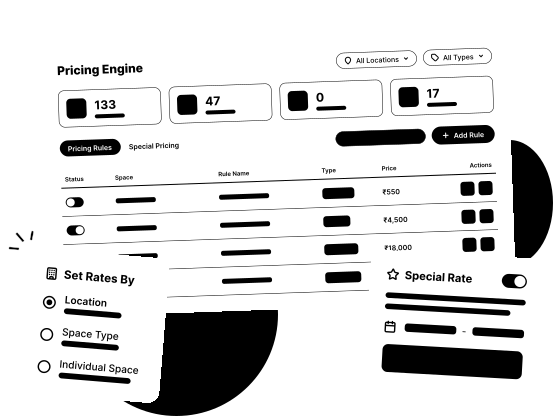
PRICING ENGINE  

Set your rates.
Apply them everywhere

Pricing that stays consistent across every space and location, with room to bend when a deal calls for it. 

  • Hourly, daily, weekly and monthly rates per space 
  • Price down to the hour, not just by the day or by space 
  • Set different rates by location, not just by individual space 
  • Set a rule once, like a weekday discount or a peak-hour rate bump, and it applies automatically to every matching booking. No manual price checks, no missed windows 
PRICING ENGINE  

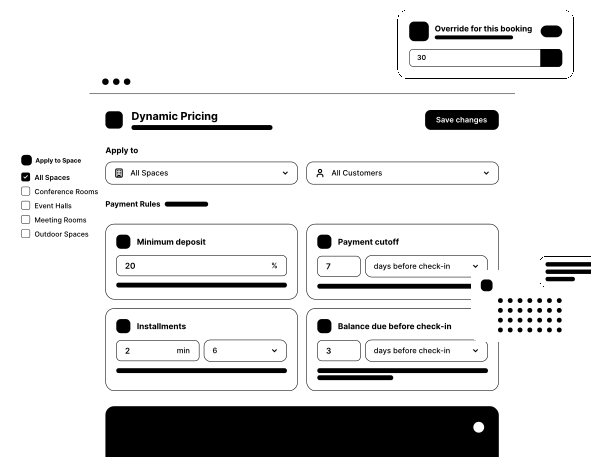
DYNAMIC PRICING

Payment rules that adapt, so you don't have to 

Deposits, cutoffs and installments apply everywhere by default, with room to override any booking. 

  • One place to manage pricing across every space 
  • Payment rules apply platform-wide by default, across every space 
  • Set a minimum deposit percentage for partial bookings 
  • Set a cutoff after which only full payment is accepted 
  • Set minimum and maximum installment counts  
  • Set how many days before a booking a balance must clear  
  • Override the deposit for an individual booking, when needed 
DYNAMIC PRICING

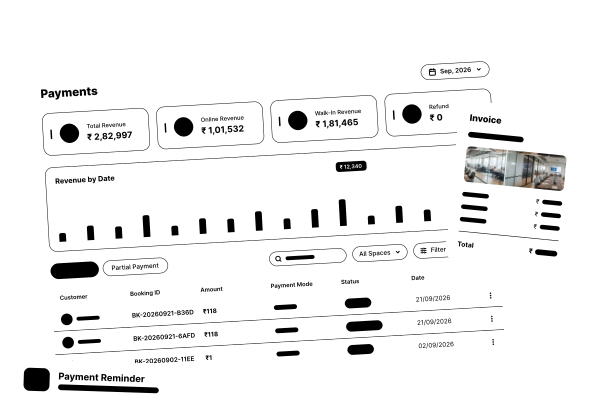
PAYMENTS  

Set your terms. Track
every transaction.

Track every payment against every booking. Every transaction recorded and ready to reconcile, online or at the desk.

  • Online & walk-in payments in one view, filterable by status and date.
  • See total, online and walk-in revenue at a glance 
  • Online payments generate an invoice automatically, sent to the customer and your team 
  • Set up a recurring customer once, and their invoice goes out automatically every month 
  • A payment reminder goes out with every recurring invoice, so a due payment doesn't get missed 
  • Every invoice includes a full breakdown of the payment, item by item 
PAYMENTS  

An enquiry only means something once it becomes a paid, confirmed booking. Get this right, and the revenue every other part of the business depends on actually comes in. 

Explore

See what else is on the platform. 

Brand & Demand

Brand & Demand

  • Search Spaces
  • Review & Ratings
  • White Labelling
Customer Experience

Customer Experience

  • Complaints
  • Credit Configuration
  • Announcement
Operations

Operations

  • Spaces Management
  • Availability Calendar
  • Asset Management
  • Locations
  • Agreement Module
  • Users
Intelligence

Intelligence

  • Dashboard

Watch the full demo

Ocupie product walkthrough

Bookings, members, payments and reports in one short tour

The video starts right after you submit. We’ll only use these details to follow up about Ocupie.